Tools
Free tools and workshop maps for CS2 players and strategy makers.
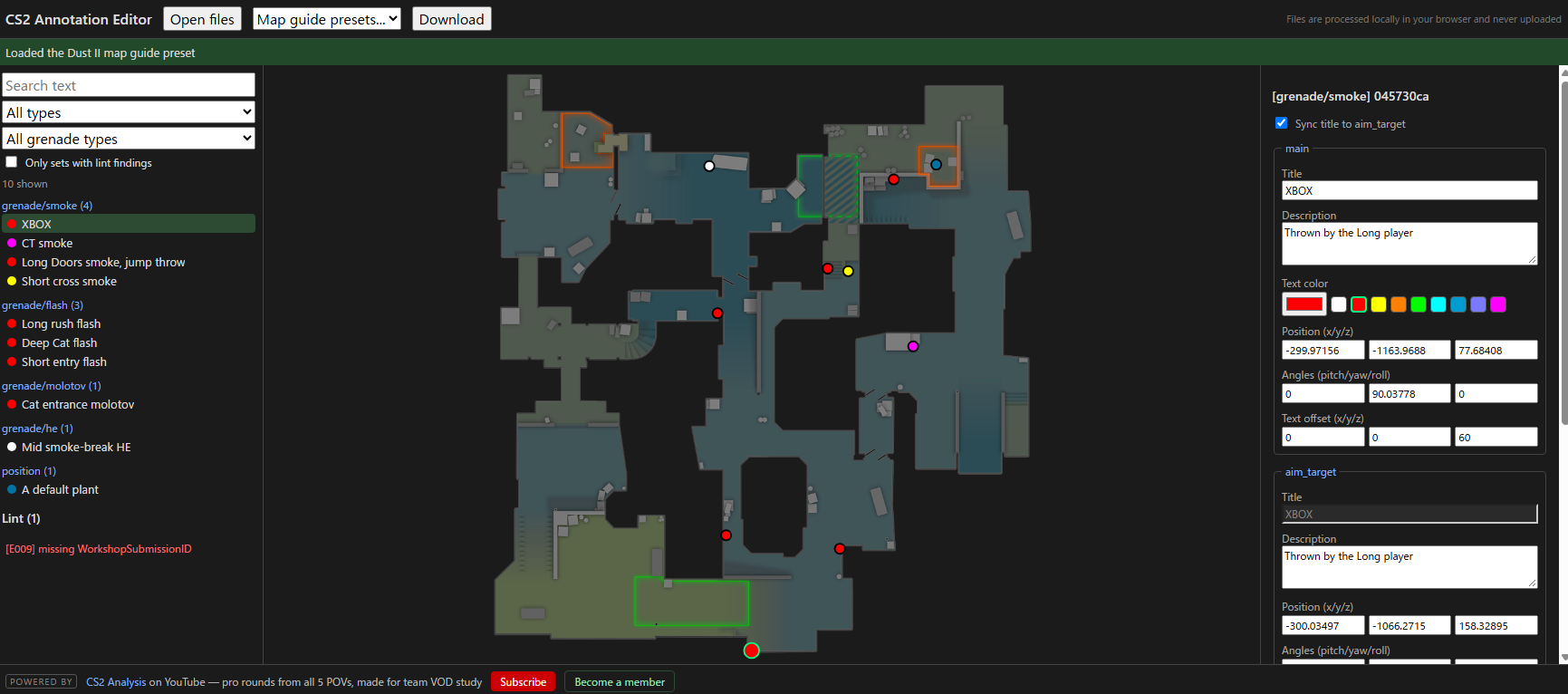
CS2 map guides (created with the in-game annotation system) are stored as text files. This editor lets you open a guide file, see every grenade lineup and position marker plotted on the official radar image, and edit them without launching the game.
Features
- Radar map view — sets plotted on bundled official radar images for all active-duty maps (plus Cache, Italy, Office and more)
- Per-node editing — grenade annotations are 3-node sets (throw position / aim target / landing spot); edit Title, Description, color, Position, Angles and text offset for each node
- Upper / Lower level toggle with z-based node filtering (Nuke, Train, Vertigo)
- Built-in lint — detects broken structure, incomplete grenade sets, duplicate IDs and more
- Search and filter sets by text, type, or grenade type
- 100% client-side — your files are processed in the browser and never uploaded
How to use
Open your guide file from the CS2 folder (annotations\local\<map>\<map>.txt), edit it, then download the modified file and copy it back over the original.
Free · No sign-up required
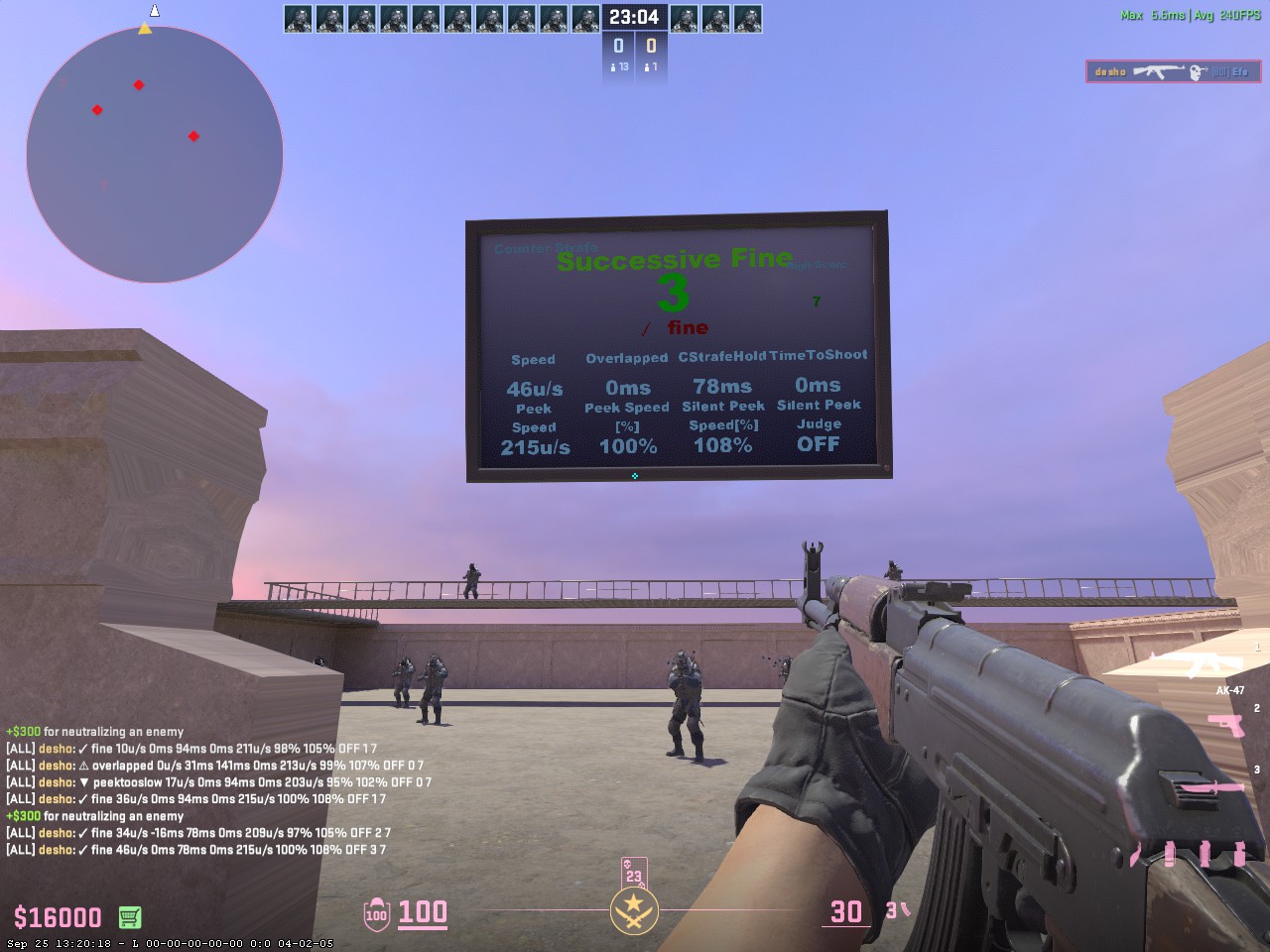
Counter-strafing is what turns movement into hits: you have to come to a full stop before the first bullet leaves the barrel. aim_D measures exactly that moment. Every peek is scored on screen, so instead of guessing whether a stop "felt" clean, you get numbers you can watch improve over a session.
What it measures
- Stopping accuracy — how completely you killed your momentum at the moment you fired
- Peek speed — the speed you were actually moving at when the shot went out
- Silent peek speed — whether your peek stayed under the threshold where footsteps become audible
- All values shown as numbers, so you can repeat the same peek and push your own record down
How to use
Subscribe on the Steam Workshop, then start the map from Play → Workshop Maps and practise peeking the same angle while watching the readout.
Free · Steam Workshop map